
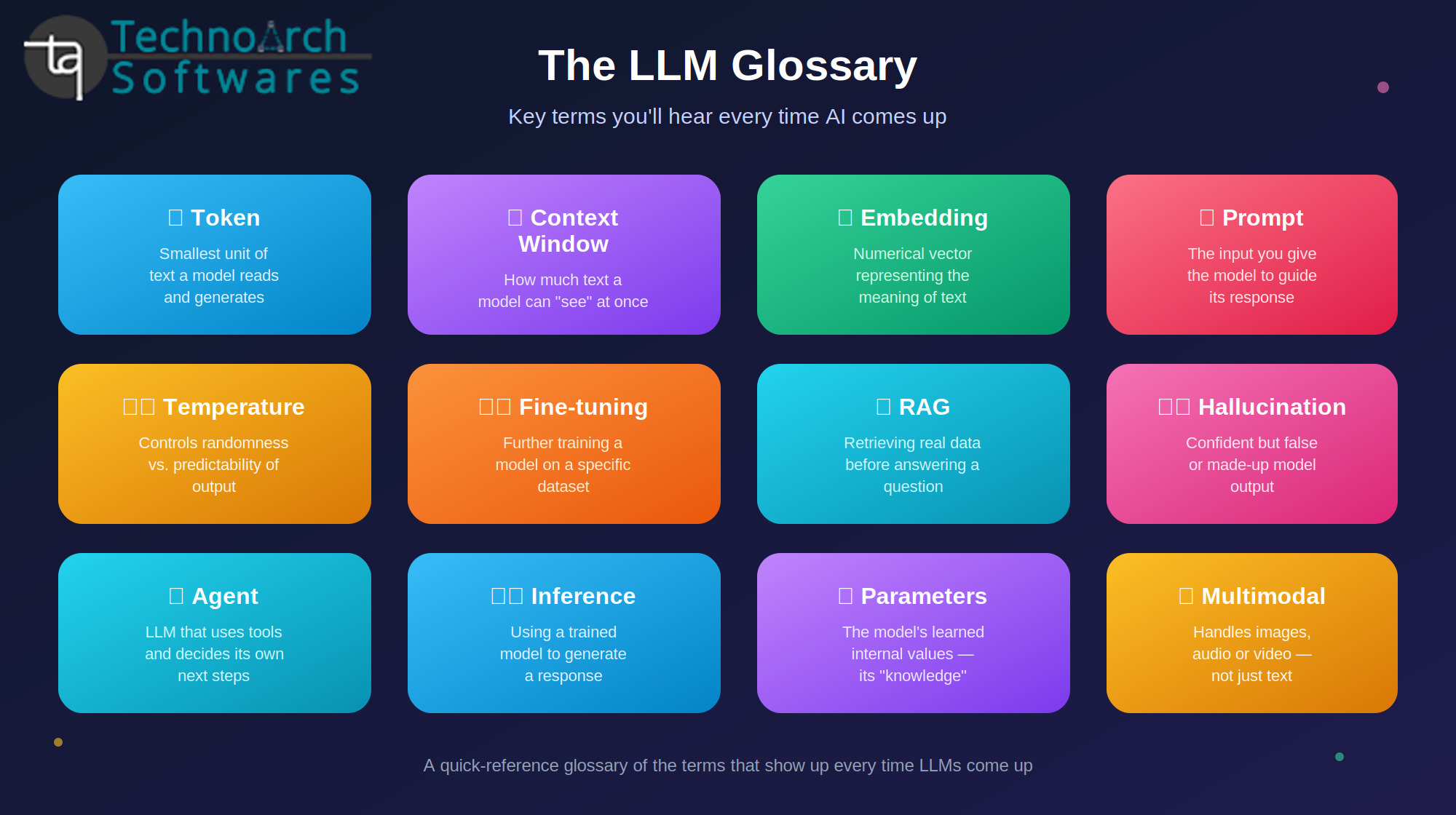
The LLM Terms Everyone Should Know
If you've spent any time reading about AI lately, you've probably run into words like "tokens," "context window," "fine-tuning," or "hallucination" without a clear explanation of what they actually mean. This post breaks down the terms that come up most often when people talk about Large Language Models (LLMs) in plain language, with runnable code examples showing each concept in action (using Python and the Anthropic API).
The Basics
LLM (Large Language Model)
An AI system trained on massive amounts of text to predict and generate human-like language. Examples include GPT, Claude, and Gemini. "Large" refers to both the size of the training data and the number of parameters in the model.
Parameters
The internal numerical values a model learns during training essentially its "knowledge," encoded as billions of adjustable numbers. More parameters generally mean more capacity to learn patterns, though not always better performance.
Training
The process of feeding a model huge amounts of text and adjusting its parameters so it gets better at predicting the next word. This happens before a model is ever released to the public nothing to code here, this is done by the model provider.
Inference
The process of actually using a trained model to generate a response. This is what your code does every time you call the API:
from anthropic import Anthropic
client = Anthropic()
response = client.messages.create(
model="claude-sonnet-4-6",
max_tokens=200,
messages=[{"role": "user", "content": "Explain inference in one sentence."}]
)
print(response.content[0].text)
How Text Is Processed
Token
The basic unit of text an LLM reads and generates not quite a word, not quite a letter. "Understanding" might be split into two or three tokens. Model pricing and limits are measured in tokens, not words.
# Estimate token count for a piece of text
response = client.messages.count_tokens(
model="claude-sonnet-4-6",
messages=[{"role": "user", "content": "Understanding tokenization matters."}]
)
print(response.input_tokens)
Context Window
The maximum amount of text (measured in tokens) a model can "see" at once including your prompt, any documents you provide, and its own response so far. If your input plus expected output exceeds this limit, you'll need to shorten or chunk your content.
# max_tokens controls how much of the context window
# is reserved for the model's response
response = client.messages.create(
model="claude-sonnet-4-6",
max_tokens=500, # reserved for the output
messages=[{"role": "user", "content": long_document_text}]
)
Embedding
A numerical representation of text (a vector of numbers) that captures its meaning. Similar meanings produce similar vectors — this is what powers semantic search and RAG.
# Example using a sentence-embedding model (e.g. via a
# provider's embeddings endpoint or an open-source model)
from sentence_transformers import SentenceTransformer
model = SentenceTransformer("all-MiniLM-L6-v2")
vector = model.encode("What is our refund policy?")
print(vector.shape)
Talking to the Model
Prompt
The input you give a model — a question, instruction, or piece of text you want it to work with.
messages = [
{"role": "user", "content": "Summarize this article in 3 bullet points: ..."}
]
Prompt Engineering
The practice of carefully crafting prompts to get better, more reliable outputs — being specific, giving examples, or asking the model to reason step by step.
prompt = """
You are a support assistant. Answer using only the context below.
If the answer isn't in the context, say "I don't know."
Context: {retrieved_text}
Question: {user_question}
"""
System Prompt
A special instruction set, separate from the user's message, that defines how the model should behave throughout a conversation.
response = client.messages.create(
model="claude-sonnet-4-6",
system="You are a concise, friendly customer support agent.",
max_tokens=300,
messages=[{"role": "user", "content": "How do I reset my password?"}]
)
Zero-shot / Few-shot
Zero-shot means asking a model to do a task with no examples. Few-shot means giving it a few examples first to guide its output format.
# Few-shot example
prompt = """
Classify sentiment as Positive, Negative, or Neutral.
Text: "I love this product!" -> Positive
Text: "It broke after one day." -> Negative
Text: "It arrived on time." -> Neutral
Text: "Customer service was excellent." ->
"""
Chain-of-Thought
A prompting technique that encourages the model to reason step by step before answering, often improving accuracy on complex problems.
prompt = "Solve this step by step, showing your reasoning: If a train travels 60 miles in 45 minutes, what is its speed in mph?"
Temperature
Controls how random or predictable a model's output is. Low = focused and deterministic; high = varied and creative.
response = client.messages.create(
model="claude-sonnet-4-6",
max_tokens=200,
temperature=0.2, # low = more predictable, factual answers
messages=[{"role": "user", "content": "List 3 facts about the moon."}]
)
Top-p / Top-k Sampling
Additional controls over which tokens the model is allowed to consider when picking its next word. Used alongside temperature to fine-tune output style.
response = client.messages.create(
model="claude-sonnet-4-6",
max_tokens=200,
top_p=0.9, # only sample from the top 90% probability mass
messages=[{"role": "user", "content": "Write a creative product tagline."}]
)
Making Models Better or More Useful
Fine-tuning
Taking an already-trained model and training it further on a smaller, specific dataset so it performs better on a particular task or adopts a certain style. This is a training-time process (handled through a provider's fine-tuning API or your own training pipeline), not something you do per request.
RLHF (Reinforcement Learning from Human Feedback)
A training technique where human reviewers rate model outputs, and those ratings steer the model toward more helpful, accurate responses. Also a training-time process done by model providers, not something you implement per call.
Quantization
Reducing the precision of a model's numbers to make it smaller and faster to run, usually with a small accuracy trade-off. Relevant if you're running open-source models locally:
# Loading a quantized model with a common local-inference library
from llama_cpp import Llama
llm = Llama(model_path="model-q4_K_M.gguf")
output = llm("Explain quantization briefly:", max_tokens=100)
RAG (Retrieval-Augmented Generation)
Retrieving relevant information from an external knowledge base before answering, instead of relying only on training data.
# Simplified RAG flow
query = "What is our refund policy?"
query_vector = embedding_model.encode(query)
top_chunks = vector_db.search(query_vector, top_k=3)
context = "\n\n".join(chunk.text for chunk in top_chunks)
prompt = f"Context:\n{context}\n\nQuestion: {query}\nAnswer using only the context above."
response = client.messages.create(
model="claude-sonnet-4-6",
max_tokens=300,
messages=[{"role": "user", "content": prompt}]
)
Agent
An LLM given tools and the ability to decide its own next steps — searching, calculating, calling APIs — rather than producing one fixed response.
tools = [
{
"name": "search_knowledge_base",
"description": "Searches internal documents for relevant information.",
"input_schema": {
"type": "object",
"properties": {"query": {"type": "string"}},
"required": ["query"]
}
}
]
response = client.messages.create(
model="claude-sonnet-4-6",
max_tokens=500,
tools=tools,
messages=[{"role": "user", "content": "What's our refund policy for international orders?"}]
)
# response may contain a tool_use block asking to call search_knowledge_base
Things That Can Go Wrong
Hallucination
When a model generates plausible-sounding but factually incorrect or made-up information. Grounding answers with RAG and instructing the model to say "I don't know" when unsure both help reduce this.
system = "Only answer using the provided context. If the answer isn't there, say 'I don't have that information.'"
Bias
Skewed or unfair patterns in a model's output that stem from patterns in its training data. Not something fixed by a code snippet — mitigated through careful evaluation, diverse training data, and testing outputs across different groups.
Latency
The time it takes for a model to respond after receiving a prompt. You can measure it directly:
import time
start = time.time()
response = client.messages.create(
model="claude-sonnet-4-6",
max_tokens=200,
messages=[{"role": "user", "content": "Hello!"}]
)
print(f"Latency: {time.time() - start:.2f}s")
Under the Hood (Good to Know, Not Essential)
Transformer
The neural network architecture behind virtually all modern LLMs, introduced in 2017. Its key innovation is weighing the importance of different words in relation to each other, regardless of distance in a sentence. This is architecture-level and not something you code directly when using an API.
Attention Mechanism
The part of a transformer that determines which words in the input are most relevant to each other. Also internal to the model — no user-facing code.
Multimodal
A model that can process more than just text images, audio, or video.
response = client.messages.create(
model="claude-sonnet-4-6",
max_tokens=300,
messages=[{
"role": "user",
"content": [
{"type": "image", "source": {"type": "base64", "media_type": "image/jpeg", "data": base64_image_data}},
{"type": "text", "text": "What's in this image?"}
]
}]
)
Closing Thoughts
You don't need to memorize every term here to use an LLM effectively, but knowing this vocabulary and seeing how each concept maps to a real line of code makes it much easier to read documentation, debug your own AI features, and have informed conversations about what these systems can and can't do. Bookmark this list; these are the terms (and snippets) you'll keep coming back to.
0 Comments:
Leave a Comments